Platform

Every Feature Your
Field Service Business Needs

Explore the powerful ServiceBridge CRM features designed to streamline customer management, boost efficiency, and improve your bottom line — all in one connected platform.

Questions? Call (888) 586-8932

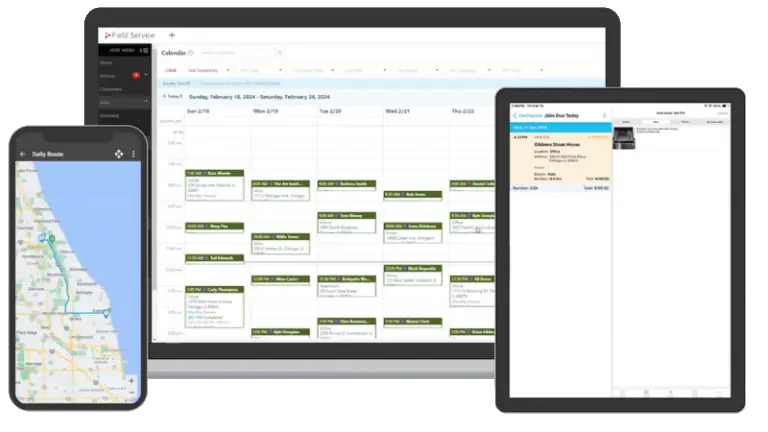
ServiceBridge platform showing map, scheduling, and field service management features
100+
Platform Features
iOS & Android
Mobile Apps
QuickBooks
2-Way Sync
API
Public Integration

Manage Customer Data

Manage every stage of the customer journey with ServiceBridge CRM. From detailed, accurate estimates to setting up recurring work orders and soliciting feedback, ServiceBridge gives your business a full suite of tools designed to manage your workflow, keep your customers happy, and help you grow your service business.

Manage Your Workflow

Give your team the tools to succeed, from office administrators to field technicians. ServiceBridge’s powerful Job Management system makes it easy to tackle everything from estimates to complex multi-day projects. Keep your team moving and get more jobs done with ServiceBridge.

Project Management icon

Project Management

Create, schedule, and invoice multi-day or multi-part jobs with ease

Timesheets icon

Timesheets

Create transparency and ensure accurate payroll with integrated timesheets

Products & Services Catalog icon

Products & Services Catalog

A full inventory of products, parts, services, and bundles available on your mobile device

Service Contracts icon

Service Contracts

Manage service contracts and warranties with job history, serial number, make, model and more

Roles & Permissions icon

Roles & Permissions

Set customized permissions for your team members to help keep sensitive date secured

Customer Portal icon

Customer Portal

Create transparency for your customers by sharing work orders, photos, and more

Grow Your Service Business

Nobody starts a business with the goal of staying small. ServiceBridge gives your service business the tools to empower grow – from supporting multiple branches to franchise settings, we give your business the tools to expand and grow your bottom line.

Commissions icon

Commissions

Help your team members grow with your company by setting up custom commission roles.

Custom Pricing icon

Custom Pricing

Create customized pricing and offers for your customers based on specific criteria

Customer Reviews icon

Customer Reviews

Generate five-star reviews for your business with Reviewbuzz integration

Manage Your Franchise

Manage a network of franchise locations at scale ensuring consistent brand, service quality, and business workflows across the entire network.

Multi-Location Management icon

Multi-Location Management

Access and report on multiple company branches from a single dashboard

National Accounts icon

National Accounts

Service national customers with consolidated invoicing and assignment to top-performing locations

Territory Management icon

Territory Management

Auto-assign customers to the correct franchise territory, and get notified of out-of-territory work

Royalty Collection icon

Royalty Collection

Configure and customize royalty payments for each franchisee within ServiceBridge

Marketing ROI icon

Marketing ROI

Analyze marketing campaign return on investment across your entire franchise network

Brand Consistency icon

Brand Consistency

Create a professional, consistent brand across your locations with customized templates

Mandated Settings icon

Mandated Settings

Ensure a consistent workflow at each location with mandated settings and fields

Tailored to Your Business

No one piece of software can do everything for your business. That’s why ServiceBridge offers a number of plugins and integrations, including a best-in-class accounting sync for QuickBooks Online and a powerful Public API that connects ServiceBridge to endless third-party web applications.

We're Here For You

Your success is our success. At ServiceBridge, we’re with you every step of the way – from onboarding tools to help you get up to speed quickly, to live technical support that ensures your business keeps moving.

Chat Support icon

Chat Support

Talk to a live ServiceBridge expert and receive troubleshooting in real-time over chat

Email Support icon

Email Support

Contact our knowledgeable staff anytime through dedicated e-mail support

Phone Support icon

Phone Support

Speak directly to a ServiceBridge expert using our phone support

Help Documentation icon

Help Documentation

Get quick answers to questions or watch video tutorials using our help documentation

Training Sessions icon

Training Sessions

Get up to speed quickly with in-app guides or learn about advanced features with live webinars

See Every Feature In Action

Book a live demo and we'll walk through the exact features that matter most for your business type and team size.

Get a Free DemoBrowse by Industry