Mobile App
ServiceBridge Mobile App
Download the ServiceBridge mobile app to manage your field operations on-the-go — job schedules, work orders, customer data, and payments, all from your pocket.
Questions? Call (888) 586-8932
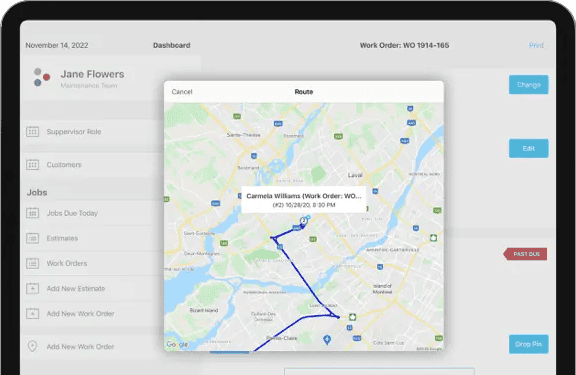
Download the ServiceBridge mobile app to manage your field operations on-the-go — job schedules, work orders, customer data, and payments, all from your pocket.
Questions? Call (888) 586-8932
Techs see their full schedule, job details, customer history, and directions — all offline-capable for no-signal areas.
Complete work orders in the field with custom checklists, photo capture, part logging, and customer signature collection.
Accept credit cards, send text-to-pay links, or direct customers to the payment portal — collect before driving away.
Location syncs automatically so dispatch always knows where every tech is. Customer ETAs sent automatically on departure.
Before/after photos, signed forms, and equipment photos attached directly to work orders — no emailing back to the office.
The app works fully offline. Jobs, forms, and data sync automatically when connectivity is restored. No excuses in the field.
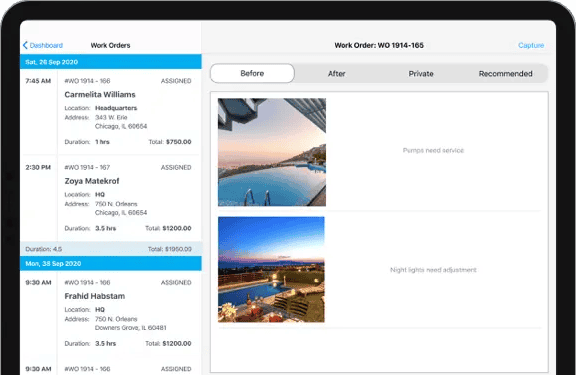
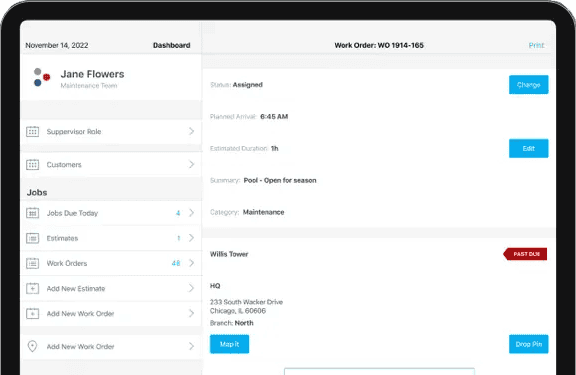
Most field service apps are clunky desktop software squeezed onto a phone. ServiceBridge Mobile was designed mobile-first for technicians who work with dirty hands, move fast, and need answers immediately.
Get the full platform — not just the mobile app. Book a demo to see how the desktop, dispatch, and mobile app work together.
Manage how ServiceBridge uses cookies and similar technologies. Required cookies cannot be disabled — they are needed for the site to function. Your choices are saved for 12 months.