Garage Door Work Order Software

Garage Door Work Order Software: Close Every Job with Zero Paperwork.

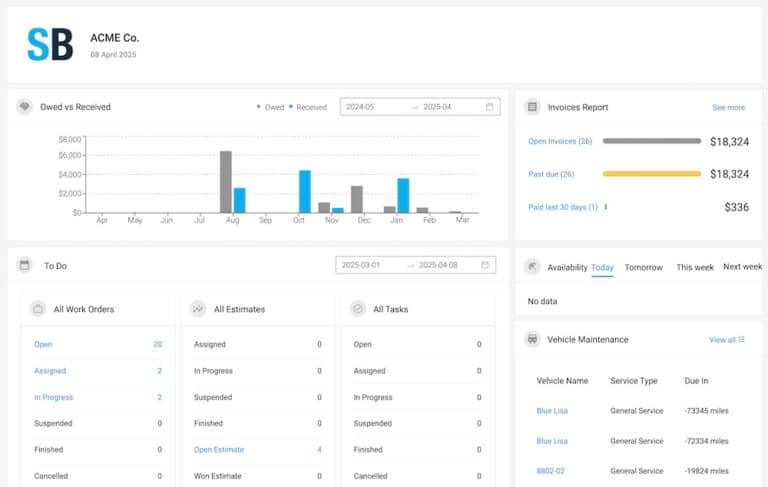
Digital work orders, automatic invoicing, and equipment history — so every job is documented and payment is collected on-site.

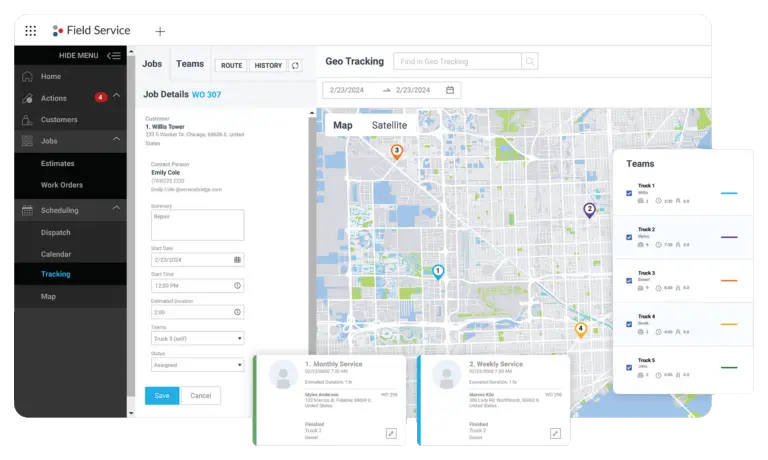
  • Real-time GPS visibility for every garage door tech on one map
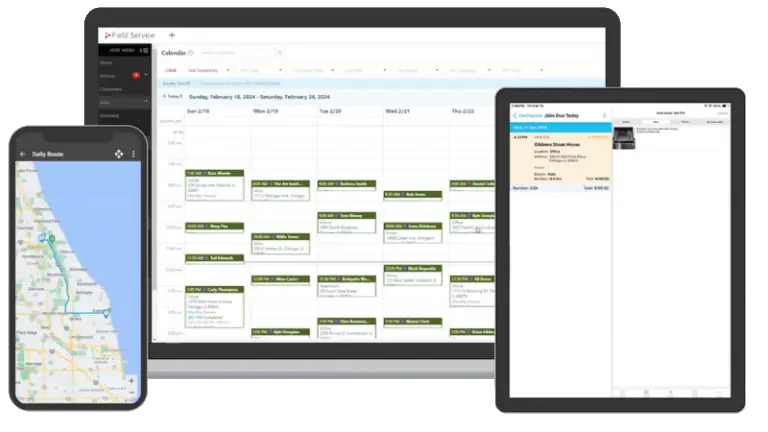
  • Drag-and-drop job scheduling from any device
  • Techs close work orders and collect payment on their phone
  • Auto-sync to QuickBooks — zero double-entry

Book a Free Garage Door Demo

Tell us about your business and we’ll show you the platform live — no commitment required.

Trusted & rated
★★★★★ 4.6 on G2
★★★★★ 4.7 on Capterra
★★★★★ 4.8 on TrustPilot
5,000+ field service companies
100%
Paperless job documentation
Faster payment collection
34%
Fewer billing disputes
90%
Less time on invoice entry

What Costs Garage Door Companies Every Day

Most garage door companies lose revenue not from slow techs — but from the gap between office and field.

Lost Paper Work Orders
Paper work orders get misplaced, misread, or forgotten. The office re-enters data. Billing delays stack up. Customers dispute charges.
$180/wk per tech
Slow Billing Cycles
Paper work orders returned at day's end mean invoicing 24–48 hours late — and waiting that much longer for payment every single job.
2.3 day avg delay
No Equipment History
Without digital records, every return visit starts from scratch. Techs ask the same questions. Customers get frustrated. Upsells disappear.
34% missed upsells
Garage Door Work Order Software — Digital Work Orders

Every Job Documented. Automatically.

Custom templates, automatic parts and labor line items, and a complete digital record for every visit — searchable in seconds.

  • Custom templates by job type
  • Automatic parts and labor capture
  • Photos, notes, and checklists per job
  • Full searchable job history per customer
Garage Door Work Order Software — On-Site Payment

Get Paid Before You Leave the Driveway.

Collect credit card, check, or ACH on-site via the tech app. Invoice sent automatically. No more chasing payments 30 days later.

  • Credit card, ACH, and check in the field
  • Automatic invoice on job close
  • QuickBooks sync — no double-entry
  • Payment link for remote customers
Garage Door Work Order Software — Equipment Tracking

Know Every Asset. Catch Every Problem Early.

Equipment history tied to address — serial numbers, warranty dates, service logs, and parts used. Every return visit starts informed.

  • Equipment records tied to customer address
  • Warranty and service interval tracking
  • Parts-used history per asset
  • Preventative maintenance scheduling

Garage Door Work Order Software — Common Questions

What is Garage Door work order software?
Garage Door work order software digitizes job documentation — replacing paper with digital forms techs complete on their phone, including photos, signatures, and auto-invoicing.
Can techs complete work orders offline?
Yes. The ServiceBridge mobile app works offline. Work orders sync automatically when the tech comes back online.
Does work order software replace QuickBooks?
No — it connects to QuickBooks. ServiceBridge pushes invoices and payments to QuickBooks automatically.
What types of work orders can I create?
You can build custom templates for any job type: service calls, preventative maintenance, installs, inspections, and emergency visits.
Can customers sign work orders digitally?
Yes. Techs collect customer signatures on their phone at job close. Signed PDFs are stored with the job record and emailed to the customer.

Ready to Modernize Your Garage Door Operation?

Free 20-minute live demo. A ServiceBridge specialist walks through your exact setup — no sales pitch, no commitment.